

Face AI · Mobile Engineering · Offline-First Systems
1. Introduction
A typical cloud-first mobile application assumes a usable connection when a user performs an important action. Attendance systems operate in factories, remote worksites, crowded buildings, and mobile field environments where this assumption can fail.
An offline-first design aims to keep the supported local workflow available during network interruptions, then synchronize evidence and records when connectivity returns. This does not mean every attendance policy can be fully evaluated offline.
AttFace Attendance explores phone and shared-kiosk workflows, making the distinction between local facial recognition and server-side attendance rules particularly relevant.
2. Separate Identity Recognition From Attendance Approval
Recognizing a face is one operation; deciding whether an attendance event is valid is another. A device may locally determine that a face matches an authorized enrollment and save a provisional event. The server may still need to verify schedule, location policy, duplicate submissions, employment status, or approval rules.
The UI should not mislead employees into believing that every business policy was finalized when only a local face analysis succeeded. A useful event lifecycle distinguishes recorded locally, synchronized, accepted, and requires review.
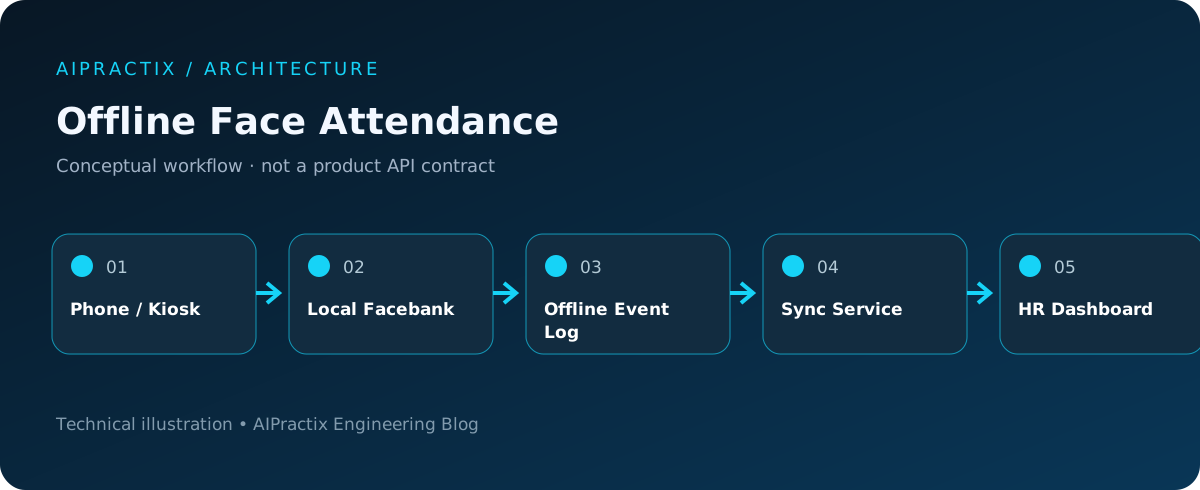
3. A Conceptual Offline Architecture
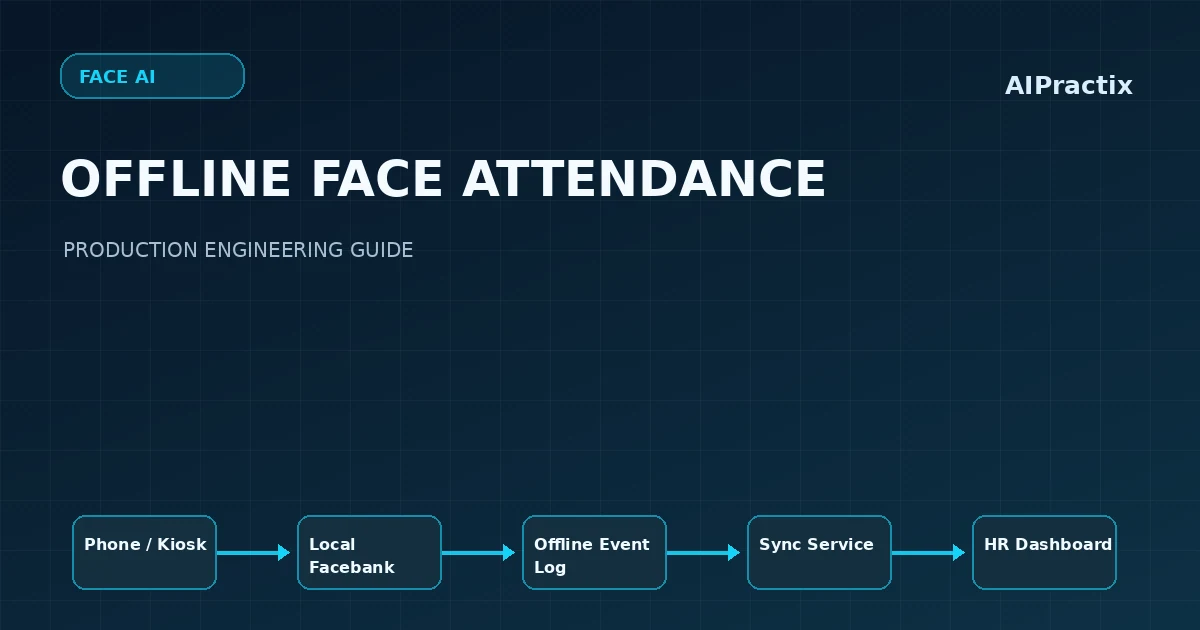
The local device needs a bounded, authorized facebank, a durable queue, and clear expiration rules. The server remains the source of truth for the organization and controls which devices and subjects are eligible to participate.
4. Local Facebank Management
An offline facebank should not become an indefinitely valid copy of an entire organization's biometric templates. Define scope by device, employee group, or site; restrict access; encrypt sensitive local storage where appropriate; and enforce expiration and removal.
Synchronization needs version identifiers so a device can detect new enrollments, revoked identities, and model updates. If the device remains disconnected beyond the allowed offline window, the product should define whether recognition is blocked, restricted, or routed to another attendance method.
Embedding model compatibility is critical. A device running a new extractor must not assume that cached templates generated by an older extractor remain comparable.
5. Treat Attendance as an Event Log
Rather than overwriting one mutable row whenever a user checks in, record an append-only event with a stable identifier and synchronization status.
{
  "eventId": "unique-event-id",
  "deviceId": "registered-device",
  "subjectId": "employee-123",
  "capturedAtDevice": "2026-11-16T08:00:00+07:00",
  "syncState": "pending",
  "recognitionOutcome": "local-match"
}
Illustrative schema; not a literal AttFace Attendance API payload.
The event identifier helps the server implement idempotency: retrying the same upload should not create duplicate attendance entries. Device timestamps should be stored with a clear time-zone and clock-trust strategy.
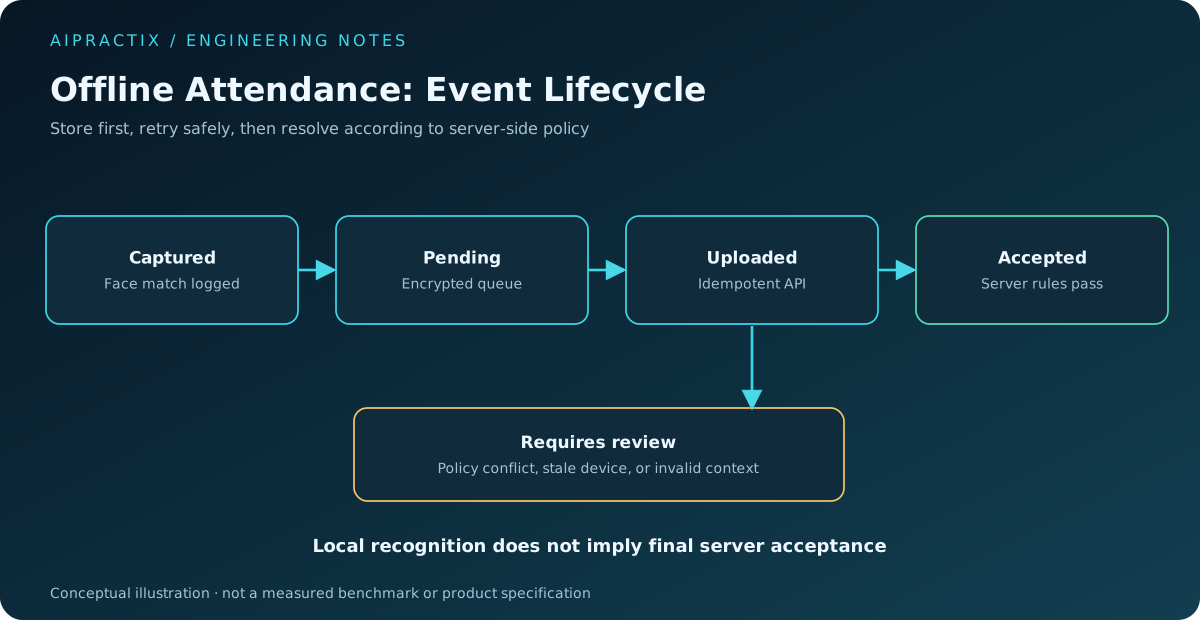
6. Resolve Conflicts Deliberately
Consider an employee checking in on two devices while both are offline. Or a device reconnecting after a manager changes the employee's shift. Blindly accepting all events—or silently discarding duplicates—can create payroll problems.
Conflict handling should be explicit. Preserve raw evidence, apply server-side policies deterministically, and provide an audit trail for manual corrections. Where a local event is rejected, explain why and offer a legitimate correction process.
7. Security and Privacy Offline
A lost shared kiosk or compromised phone is a realistic threat. Protect local templates, restrict debugging exposure, authenticate devices, and limit the amount of personal data stored. Remote revocation is helpful, but it cannot immediately reach an offline device; expiry and bounded offline permissions must therefore be part of the design.
Never treat a face match as proof that a device or its operating system is trustworthy. A separate device trust and authorization model may be necessary.
8. Phone Versus Shared Kiosk
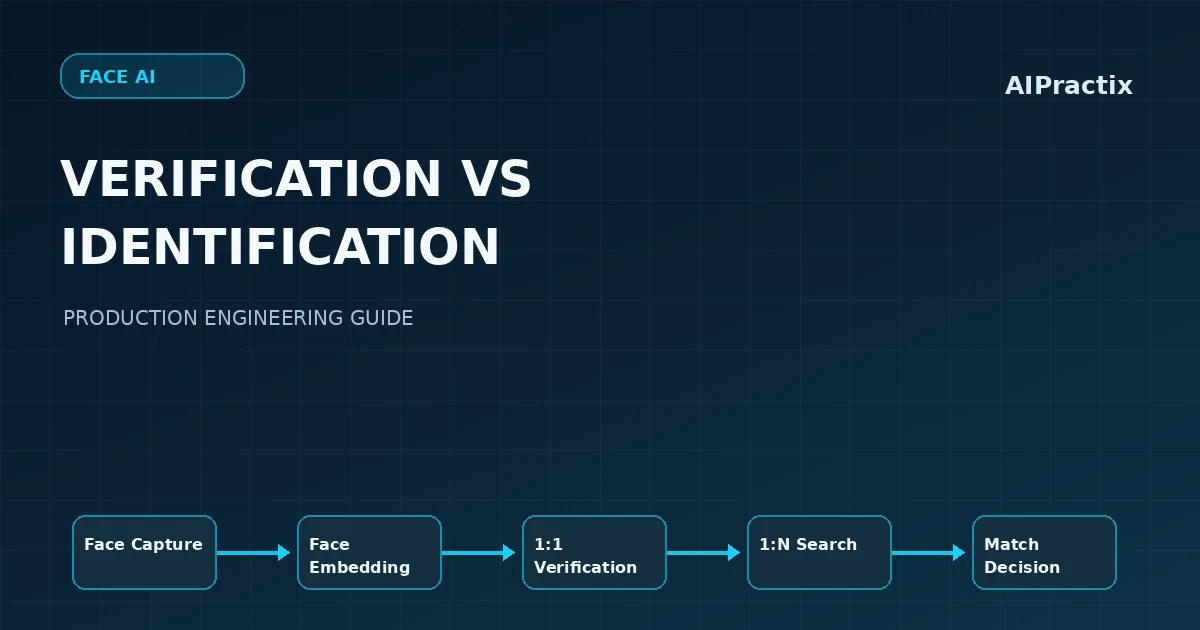
Employee phones distribute the capture load and reduce queueing, but raise device compatibility and location-policy questions. Shared kiosks simplify device control but need efficient 1:N lookup, multi-user UX, and careful management of the locally available facebank.
Both approaches should be tested under weak connectivity, poor lighting, repeated scans, and site-specific constraints. A hybrid deployment can give organizations operational flexibility.
9. Test Real Failure Scenarios
Simulate network loss mid-upload, app termination after local recording, duplicate retries, out-of-order events, stale enrollments, expired offline privileges, changed shifts, incorrect device clocks, and local database corruption.
Successful offline behavior means the system can recover predictably and preserve evidence—not merely that a face model can run without a connection.
10. Conclusion
Offline-first face attendance is a distributed-systems problem built around a computer vision capability. Reliable products combine local recognition, bounded biometric caching, durable event synchronization, server-side rules, and transparent user feedback. That combination makes offline support useful in real workplaces.